Pulls your data together. CRM jobs, QuickBooks invoices and Stripe payments joined on the same record.
All services
Custom dashboards and reporting from your CRM and payments
I build dashboards that show your real numbers in one place, pulled live from your CRM, QuickBooks and Stripe. Sales, commissions, payments and pipeline update on their own, and you can ask a question in plain English and get the number with its source.
- Built byJeff Lim
- Works withGoHighLevel or any CRM with an API
- StartSend a brief
Who it is for
- Owners who match the CRM and the accounting by hand every month.
- Sales teams who ask the office what they earned.
- Agencies that want to report to clients with real data, not screenshots.
Why mine is different
Most dashboards are a chart on top of an export. I build the sync underneath, so the numbers stay current without anyone uploading a file, and every figure traces back to the record it came from.
Proof it works
I also built an accountant-ready payments ledger that runs inside a CRM and joins Stripe fees and payouts with hand-recorded payments for a group of businesses.
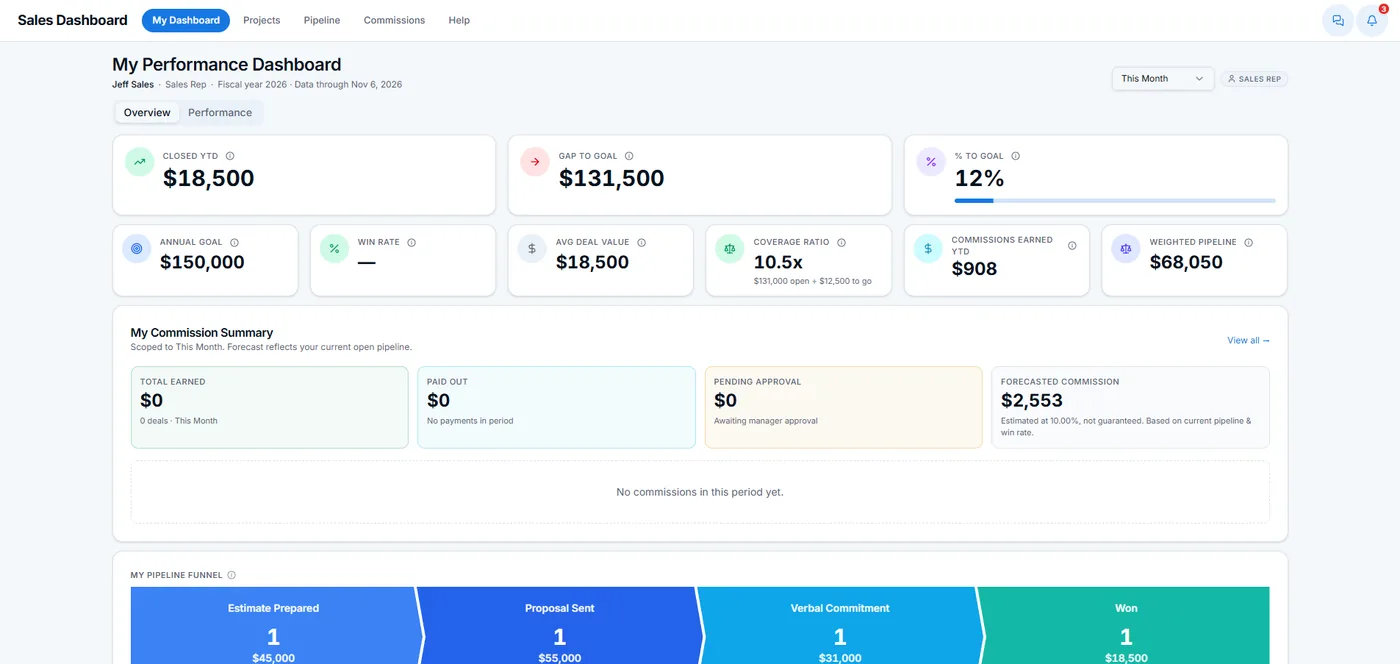 Sales reps ask "what did I earn on the Johnson job?" in plain English and get the answer from live data, inside the CRM they already use.
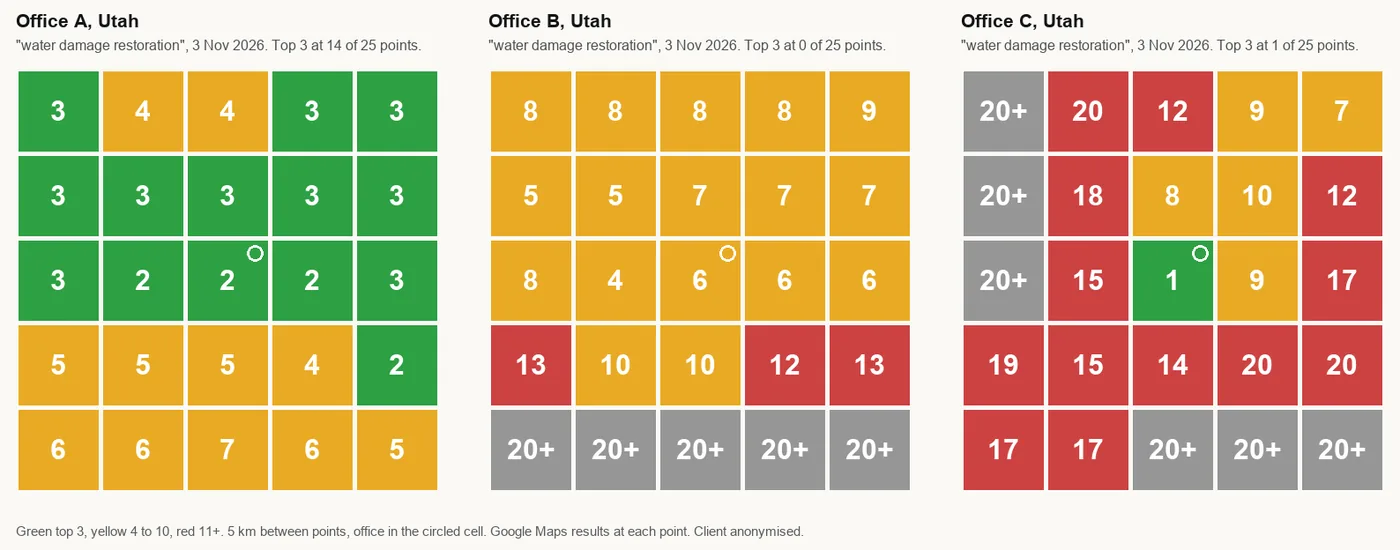 Local SEO run as a system: rank maps that show where a business appears on Google Maps block by block, review alerts within two hours, and a monthly report with proof for every task.
What it doescustom dashboard development
Tracks commissions. Each rep sees what was sold, invoiced and paid, and what they earned on it.
Explains bank deposits. Every deposit broken into the payments behind it, cheques and cash included, ready for the accountant.
Answers questions. An AI assistant answers typed questions about the numbers and shows where each one came from.
Questions business owners ask
Can you build a dashboard from my GoHighLevel data?
Yes. It can run inside GoHighLevel with single sign-on, or as its own page.
Can it combine CRM and QuickBooks or Stripe?
Yes. Joining the CRM with payment data is most of the work, and the part most dashboards skip.
Does someone have to update it?
No. It syncs by webhook or on a schedule, so the numbers keep themselves current.
Can my team see only their own numbers?
Yes. Each person sees what their role allows, checked as a real logged-in user.